
Music ringtones for android
Ringtones & WallpapersPersonalization
4.610.76K Reviews
- Version
- 3.9.8
- Installs
- 10.00M
- Age Rating
- Everyone
Screenshots
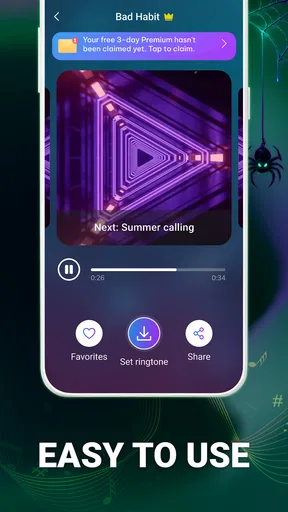
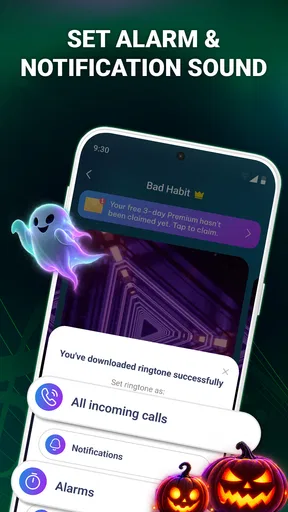
Our Review of Music ringtones for android
 Analysis by Appyee
So, you've got a smartphone, and you're tired of the same old, boring ringtones. I mean, who isn't? That's where Music Ringtones for Android comes into play. It's like having a personal DJ for your calls, bringing a fresh vibe every time your phone rings. Let me dive into what makes this app a must-have for anyone looking to spice up their ringtone game.
What to Expect from a Ringtone App
At its heart, this is a personalization app from Ringtones & Wallpapers, built around finding music and sounds to use on an Android phone. It is free to download, rated for Everyone, and has a 4.7 average from around 169,000 ratings, with over 10 million installs. That level of uptake makes it an easy app to consider if you want a dedicated place to browse tones rather than settling for the few sounds already on your phone.
I would approach it as a focused ringtone picker, not as a replacement for a music-streaming service. Its purpose is to help you choose a short sound for calls, alerts, or alarms, not to manage a full music library. That distinction matters: if you want to listen to complete albums, organize playlists, or play music continuously, your usual music app is the better fit.
The app is currently at version 3.7.3 and supports Android 7.0 or later. Its age rating makes it suitable for a general audience, though parents should still use their own judgment about any sound content a child browses. Optional in-app purchases range from $0.99 to $49.99 per item, so I would explore the free selection first and check the purchase details before paying for anything.
Getting Started with Music Ringtones
First off, downloading and setting up Music Ringtones for Android is a breeze. Just head over to the Google Play Store, and in a few taps, you’re ready to explore a whole world of sounds. The app is lightweight, so it won't hog your phone's memory or slow down performance, which is a big plus in my book.
User-Friendly Interface
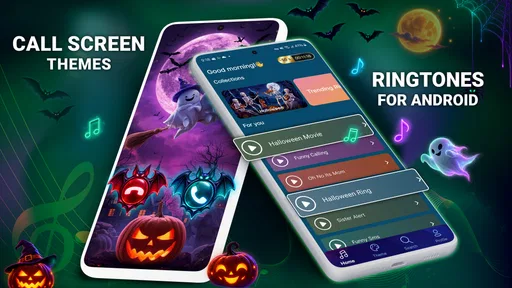
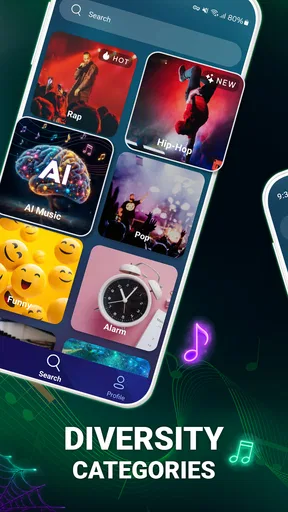
The interface is super intuitive. You don’t need to be a tech wizard to navigate through the app. The home screen greets you with a delightful array of categories, from classical tunes to the latest pop hits. It’s neatly organized, making it easy to find exactly what you’re looking for. Feel like a rock star today? Tap on the rock category and let the music flow!
A Wide Variety of Tones
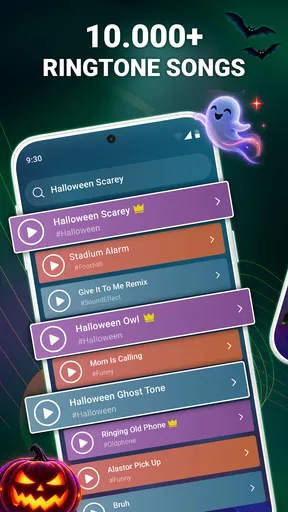
One thing that really sets this app apart is its vast collection of ringtones. We're talking thousands of options here. Whether you’re into jazz, hip-hop, or even quirky sound effects, there’s something for everyone. You can even explore trending ringtones to keep up with what’s hot right now. It's a bit like having Spotify, but specifically for ringtones.
Finding a Tone That Works in Real Life
My practical advice is to audition a sound in the setting where you expect to hear it. A delicate melody that sounds pleasant while browsing may disappear in a noisy café, while a sharp effect can feel far too intrusive in a quiet office. Think about the first second of the sound as well as its overall style: calls are easy to miss if the opening is too soft or slow.
A useful everyday setup is to choose one recognizable call tone and a calmer, shorter alert sound for routine notifications. If you use a distinctive tone for a particular contact, keep it different enough from your main ringtone that you can identify it without checking the screen. That is more useful than assigning a different tune to everyone just because the option exists; too many similar sounds can make the whole system harder to remember.
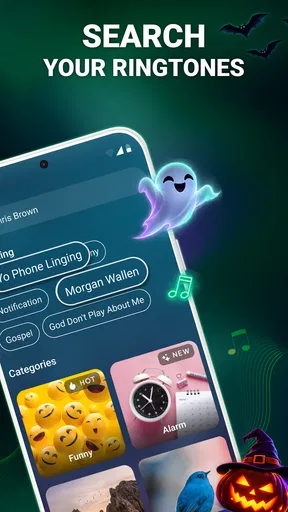
Categories and trending selections offer convenient starting points, but I would treat them as browsing tools rather than proof that a tone will suit you. A popular choice may be instantly recognizable, which is fun, yet that can also make it less personal. If you want a sound that feels like your own, spend a moment comparing less obvious options instead of stopping at the first familiar track.
Customization at Its Best
Now, let's talk customization. The app allows you to not only set ringtones for calls but also for notifications and alarms. Want a different tune for each contact? You got it! It’s all about personalization, and this app nails it. You can even trim and edit your favorite tracks to create a unique tone that screams "you."
First Setup and a Successful First Change
For a first-time user, I would keep the first session simple: browse one category, listen to a few candidates, and choose a sound for one purpose before changing anything else. Start with your main call ringtone, since it is the easiest change to notice. Once you have found a tone you like, use the app’s available setting controls and follow the prompts on your phone to apply it.
Phone menus can vary, so do not panic if the final confirmation appears in Android’s system settings rather than inside the app. The useful check is straightforward: ask someone to call, or use another safe way to hear the selected sound, then adjust if it is too quiet, too long, or not the tone you expected. Making one change at a time helps you spot where a problem lies without having to undo several settings.
Trimming is especially worthwhile when a favorite track takes too long to reach the recognizable part. A ringtone needs to work in a brief interruption, not build toward a chorus the way a full song does. I would choose a clean, memorable section and avoid a cut that begins mid-word or ends abruptly; a small edit can make a familiar tune feel much more suitable for everyday calls.
Common Confusion and Practical Trade-Offs
One point that can confuse new users is the difference between choosing a sound in the app and assigning it to a particular job on the phone. A tone intended for calls may not automatically become the sound for alarms or notifications, so check each setting separately if you want a consistent setup. Contact-specific tones are also worth testing with the correct person rather than assuming a general ringtone change has altered every contact.
Another sensible check is whether a sound is still pleasant after repeated use. A novelty effect can be amusing once but irritating when a busy day brings several calls. I would save the most distinctive sounds for situations where quick recognition matters and use something less demanding for frequent alerts. If the app offers a preview, listen before applying a tone; a preview is a better guide than judging only by a title or category.
There are trade-offs to the free model. The app is free to use, while in-app purchases are available; I would not assume every item or option is included at no cost. If you encounter a paid choice, pause and decide whether that exact sound is worth buying rather than treating a purchase prompt as necessary to get started. People who want a completely ad-free or tightly controlled experience may prefer the phone’s built-in sounds, which are simpler even if the selection is smaller.
Quality and Performance
Quality is where Music Ringtones for Android truly shines. Each ringtone is crystal clear, with no annoying distortions. Whether you’re using headphones or blasting it through your phone’s speaker, the sound quality remains top-notch. Plus, the app runs smoothly, without any pesky glitches interrupting your experience.
Who Will Get the Most from It?
This app makes the most sense for someone who regularly changes their phone’s sound, wants a wider choice than the default set, or enjoys matching a ringtone to a mood. It can also help someone who keeps missing calls because their current tone blends into the background: a more recognizable sound can make the phone easier to notice, as long as it is not distracting to people nearby.
By contrast, you may not need it if you are happy with your existing ringtone, rarely hear your phone ring, or prefer to keep your device quiet. People who want to use a specific song they already own may find the built-in Android sound picker or their existing audio tools more direct, depending on how that file is stored and what their phone supports. This app is most valuable when browsing a dedicated selection is part of the appeal.
Free and Premium Options
Let’s talk money. The app is free to use, which is music to anyone's ears. However, if you’re looking to remove ads or access exclusive premium ringtones, there’s a small fee involved. But trust me, even without shelling out a dime, you still get an impressive range of options.
How It Compares with Built-In Sounds
Compared with the ringtone controls already on an Android phone, this app puts more emphasis on browsing a broad collection and trying different styles. The built-in picker is usually the simpler route when you already have a sound file or want to make a quick change with minimal exploration. Here, the advantage is discovery; the trade-off is spending more time choosing and potentially encountering paid selections or interruptions.
It is also different from editing a music file yourself. Manual editing can offer more control over a track you already own, but it requires a file and a separate workflow. The app’s appeal is having browsing and tone customization in one place. I would use it when I want ideas quickly, and turn to a manual editor only when I have a very specific section of a personal audio file in mind.
Community and Feedback
What’s cool about this app is the community aspect. You can rate and review ringtones, helping others discover new favorites. It’s like a mini social network for ringtone enthusiasts. Plus, the developers are pretty active, frequently updating the app with fresh content based on user feedback. It’s always nice to see an app that listens to its users, right?
Making the Choice Stick
Once you have a setup you like, give it a day or two before making more changes. That small pause helps distinguish a tone that is genuinely useful from one that only seemed exciting while browsing. If you set a special sound for an alarm, test it at a time when you can safely confirm it works rather than relying on an untested setting for an important morning.
I would also keep your choices easy to recognize. One tone for calls, another for alarms, and a restrained sound for notifications is often clearer than a different sound for every event. If your phone is shared, used in meetings, or often kept nearby in public, consider how a loud or recognizable tune will sound to others. Personalization is best when it suits your surroundings as well as your taste.
Final Thoughts
In a nutshell, Music Ringtones for Android is a fantastic app for anyone looking to add a personalized touch to their phone. Its user-friendly interface, vast selection of tones, and customization options make it a standout choice. Whether you’re a music lover or just someone who craves variety, this app is definitely worth checking out. So go ahead, give your ringtone a makeover and let your personality shine through every call!
Privacy and Permissions
See what permissions an app requests and how it handles your data.
- Contacts
- read your contacts, modify your contacts
- Phone
- directly call phone numbers, read phone status and identity
- Photos/Media/Files
- read the contents of your USB storage, modify or delete the contents of your USB storage
- Storage
- read the contents of your USB storage, modify or delete the contents of your USB storage
- Wi-Fi connection information
- view Wi-Fi connections
- Device ID & call information
- read phone status and identity
- Other
- view network connections, change system display settings, full network access, change your audio settings, run at startup, draw over other apps, control vibration, prevent device from sleeping, modify system settings, Google Play license check
Verdict
Strengths of Music ringtones for android
- Wide variety of ringtone options.
- Easy to navigate user interface.
- High-quality audio files.
- Frequent updates with new ringtones.
- Customizable ringtone settings.
Limitations of Music ringtones for android
- Contains ads that can be intrusive.
- Limited free ringtone selection.
- Requires internet for full access.
- Some ringtones are duplicates.
- Occasional app crashes reported.
Similar Picks in This Category
View All
Microsoft SwiftKey AI Keyboard
SwiftKey4.3

Wallpapers
Google LLC4.1

Zedge™ Wallpapers & Ringtones
Zedge4.7

Yandex Browser with Alice AI
Direct Cursus Computer Systems Trading LLC4.3

Ringtone Maker:create ringtone
Big Bang Inc.4.7

Fonts Keyboard
Fonts Keyboard3.9
Frequently Asked Questions
What features does the Music Ringtones app offer?
The Music Ringtones app provides a vast library of popular and unique ringtones, including categories like pop, rock, and classical. It allows users to customize ringtone lengths, set different tones for contacts, and create personalized ringtones from their music library. Additionally, it supports alarm and notification tone customization.
Is the Music Ringtones app free to use?
The app is free to download and offers a selection of ringtones at no cost. However, it includes in-app purchases and subscription options for premium features, such as ad-free browsing and access to exclusive ringtone collections. Users can choose to enjoy the free version or upgrade for a richer experience.
How easy is it to set a ringtone using the app?
The Music Ringtones app is designed with user-friendliness in mind. After selecting a ringtone, users can easily set it as their default tone, assign it to specific contacts, or use it for notifications and alarms. The intuitive interface guides users through each step, making the process seamless and quick.
Does the app require an internet connection to work?
The Music Ringtones app requires an internet connection for browsing and downloading new ringtones. However, once a ringtone is downloaded, it can be used offline. This allows users to enjoy their favorite tunes without needing continuous internet access, making it convenient for on-the-go customization.
Is the Music Ringtones app safe and secure to use?
Yes, the app is safe and secure. It is regularly updated to ensure user data protection and adheres to privacy standards. It only requires necessary permissions for functionality and does not collect personal data without consent. Users can confidently enjoy customizing their device with peace of mind.
